
2.1 -Character Creation Process
For this assignment, you will be creating a character, which is a common task in graphic design. In this case, you will be creating a character with a sidekick animal.
Keep in mind that the purpose of this assignment is to document going through the stages of character creation. It is not so much about having a great-looking final product but about showing how you got there.
Choose a character type from the left hand column then include a side-kick animal from the right hand column. If there is another character and animal combination you would prefer to work with, check it with your teacher.
You will now need to look up some sources of inspiration for your character. The easiest way to do this is through a Google image search. This is a good start but you don't want to end there as images you find online will tend to rely heavily on Hollywood imagery and will skew towards reinforcing stereotypes. If you decide to go with Viking, you might want to look up some historical vikings in addition to looking at the media images.
| Queen | |
frog |
|---|---|---|
| Viking | beaver | |
| Hippie | parrot |
Your final submission will look like the one below, plus you will include a description describing the process and your decisions as well as any hurdles you encountered.
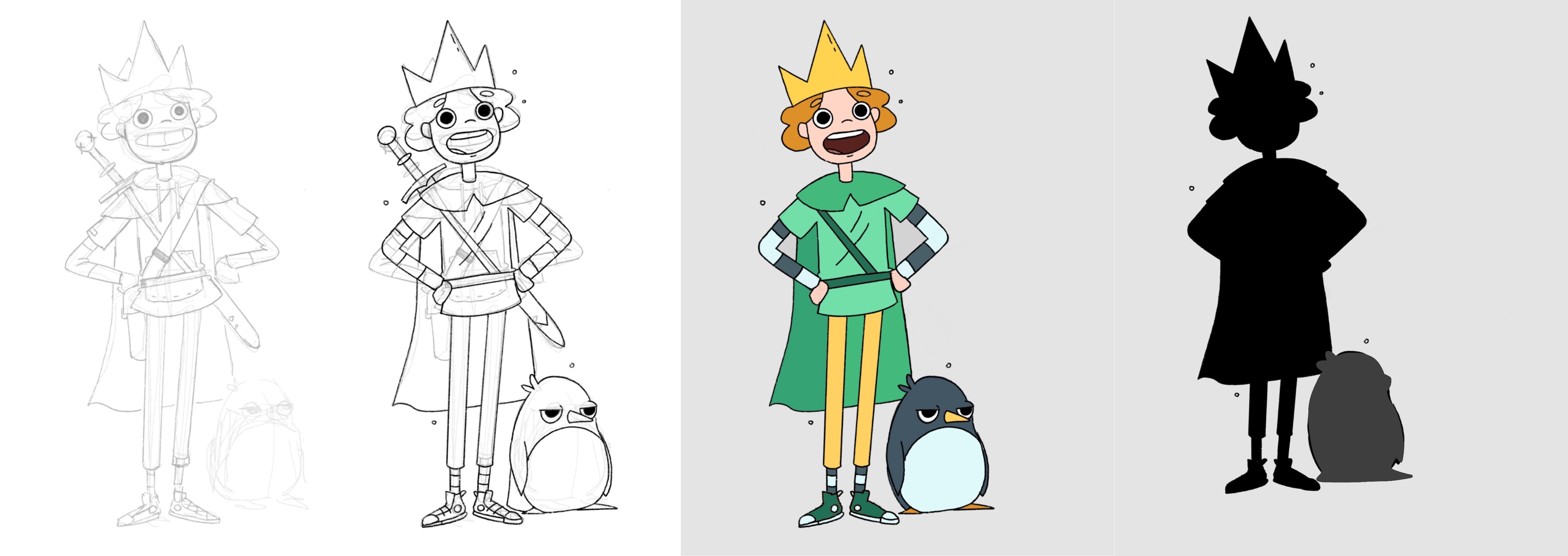
You will need to include:
- Written description of your character
- Rough sketches
- silhouette(s)
- Final good copy with details