
1.4 Actions and Adjustments Assignment
For this assignment, you will be taking a picture of the biggest room in your home, then uploading that photo into Procreate. You will be drawing on top of the photo using the drawing guide then you will remove the underlying layer.
Before you begin, you might want to review the tutorial on setting up a drawing guide from earlier in this section.
To complete this assignment, follow these eight steps.
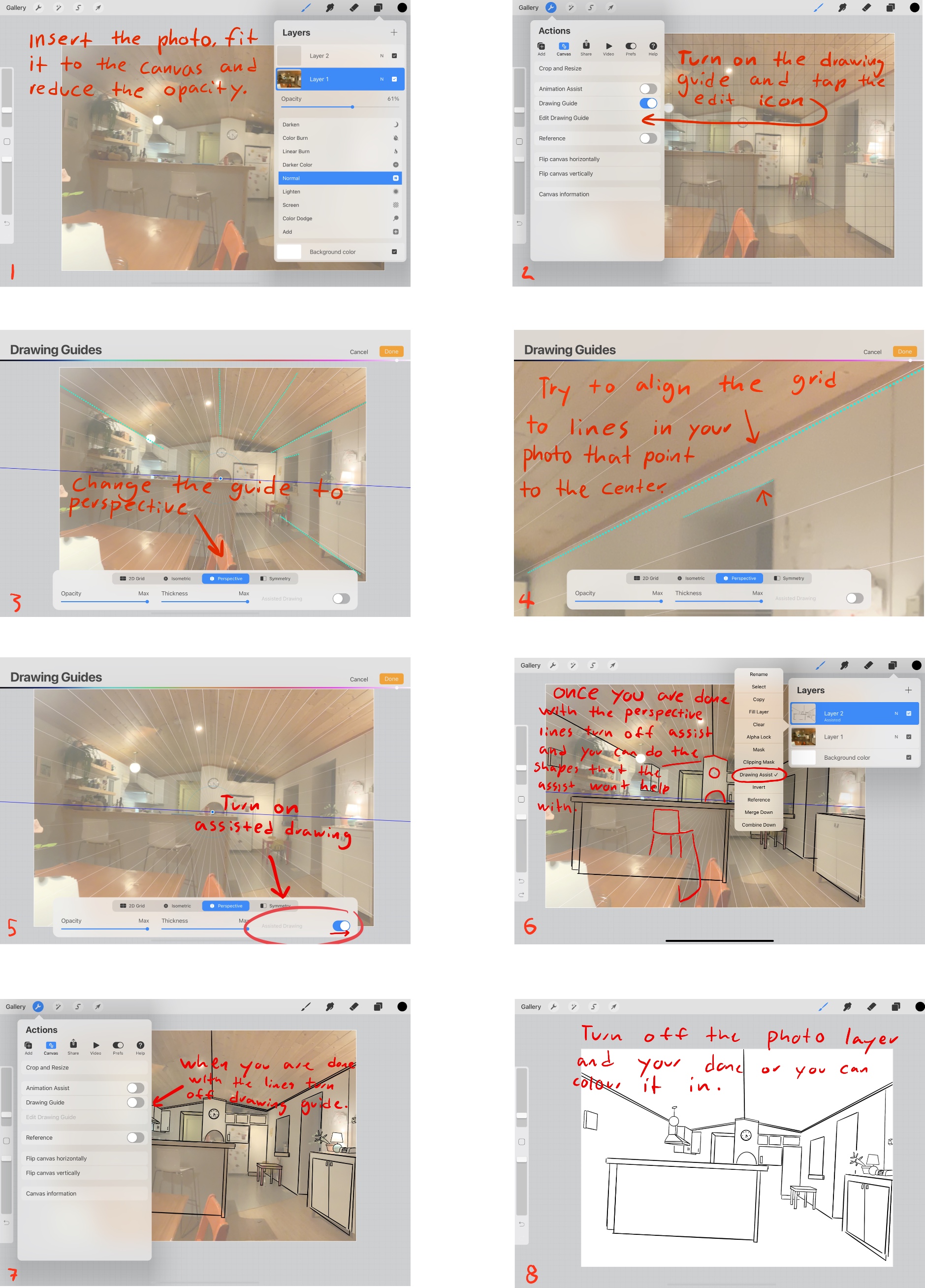
This will look better if you choose to colour it, though the important part is getting used to using the drawing grid.
You will need to upload your original photo as well as your drawn photo. Also, in the textbox, you will need to write a short response in which you explain how the entire process went for you, any challenges you had, skills which you had to employ and how you felt about the final product.